


The scariest online threats are the ones you don't even see coming. Picture this: a hacker tricks one of your employees with a sneaky phishing email, steals their username and password, and just walks right into your network. No alarms, no warning.
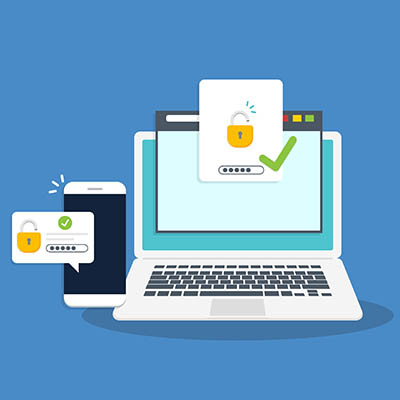
The really good news is there's a simple fix that can make a huge difference: Multi-Factor Authentication (MFA). Just setting this up is one of the biggest steps you can take to make your business much safer and a lot less likely to suffer a nasty cybersecurity breach.
If you haven't put MFA in place yet, don't worry! Here are three straightforward ways you can start moving in the right direction:
Step 1: Start with One-Time Passcode Apps
First, let's nail down what MFA is. Your password alone is a single factor, meaning if it's guessed or stolen, you're toast. Businesses need to secure every account with multiple factors.
The quickest and most effective way to do this is with a one-time passcode app. By moving your passcodes off of easily-intercepted SMS text messages and onto an isolated app, you create a solution that constantly generates unique, new codes every 30-to-60 seconds.
For a hacker to break through, they would need both the password AND physical possession of your employee's unlocked phone. That makes breaking in practically impossible.
Step 2: Try the Power of Push-Based Authentication
A push-based authentication app takes the convenience factor even higher. You don't have to type in a code, you just tap a button on your phone to verify your identity. It's super fast and removes the hassle of entering codes. When someone tries to log in, your device gets a notification asking you to Approve or Deny.
This method is not only easier, but it also provides a security check-in. You can see when, where, and on what device the login is happening, letting you confirm or deny the access right away.
This method isn't flawless. It can sometimes lead to MFA fatigue, where employees start blindly tapping Approve to get rid of the notification. Smart attackers can use this to spam users with login attempts and potentially sneak in.
Step 3: Look to the Future with Biometric Authentication
The future is here, and many businesses are skipping passwords entirely for biometric authentication.
Biometrics uses something you are, like a fingerprint or facial recognition scan, to create a truly passwordless environment.
This biometric data never leaves your device; it's used locally to unlock secure keys. It can cut down on employee frustration, get rid of weak passwords for good, and give you a much higher assurance of who is actually logging in. After all, it's pretty hard to fake a fingerprint or a face scan. While these solutions are still maturing, they are definitely where authentication is headed.
Are You Ready to Secure Your Business?
Relying on old, guessable passwords is a recipe for disaster in today's world. To start taking your digital security seriously, you need to move your organization to multi-factor authentication as soon as possible. These methods are proven to resist phishing and are guaranteed to boost your digital security, no matter what it looks like right now.
To learn more about your MFA options and get started, give Grove Networks a call at (305) 448-6126 today.
