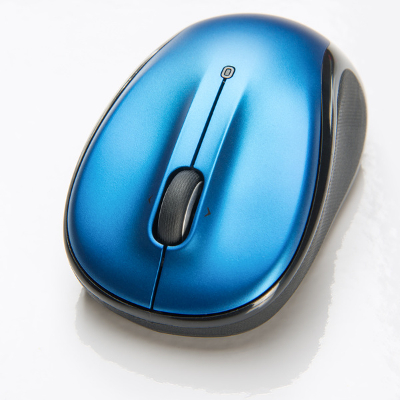
 Not everyone has traded in their trusty computer mouse for a fancy new touchscreen. If someone gives you a hard time for still using a mouse, tell them about these three cool scroll-wheel features that can only be done with a mouse.
Click a Link with the Scroll Wheel Button to Open it In a New Tab
First off, did you even know that you can press down on the scroll wheel and use it as a third mouse button? You sure can. Give it a try! If this is news to you, then a whole new world of clicking lies before you.
Instead of right clicking a hyperlink and then selecting “Open link in new tab,” save yourself a click and simply click the link once with your mouse’s scroll wheel button. This will automatically cause the link to open in a new tab.
Close the Browser Tab by Clicking it With the Mouse Scroll Wheel Button
In addition to using your mouse scroll wheel to open new browser tabs, you can use it to close tabs. To do this, simply hover the cursor over the page’s tab and then select it with the mouse scroll wheel.
This may seem like a rather silly tip when you can do the exact same thing by clicking on the X, but using the scroll wheel gives you a little more real estate to work with, and it’s a convenient way to go about it once you’ve gotten into the habit of using the scroll wheel button.
Ctrl+Scroll Up to Zoom In/Ctrl+Scroll Down to Zoom Out
This handy scroll-wheel tip works for your Internet browser and other applications too (but not all of them). Instead of having to go to the view tab and select Zoom in or Zoom out, it’s much easier and faster to hold down the Ctrl Key while scrolling up or down with the mouse scroll wheel.
When using the mouse scroll wheel for this purpose, you will notice that the more you scroll means the more that gets zoomed in or out. Be warned, if your mouse has a hair trigger, you will quickly find yourself zooming in or out by a few hundred percent.
Bonus Tip: When using the scroll wheel to zoom in with your web browser, you can zoom into the point where you no longer see those annoying ads on the side of a web page. You’re welcome.
Now that you know more about what you can do with your mouse’s scroll wheel, you may want to think twice about trading it in for a touchscreen. Despite mobile technology overtaking the tech world, we feel that there’s still room for the reliable computer mouse.
Do you prefer the mouse to touchscreens and touch pads? Do you know of any other cool tips that you can do with the mouse scroll wheel? Let us know in the comments.